


Clara - AI Receptionist
4.5322.00 Reviews
App Specs
- Version
- 1.23.10
- Updated On
- License
- Free
- Downloads
- 50,000+
- Developer
- 44pixels
- Categories
- Business
- Platform
- Android
Screenshots
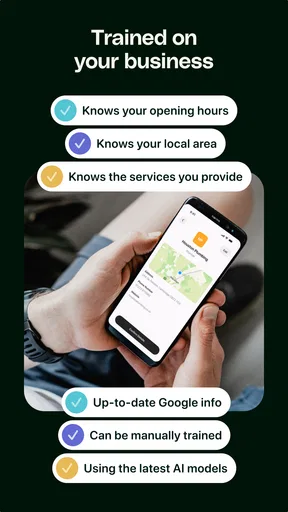
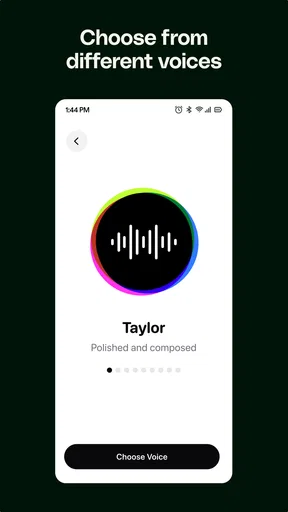
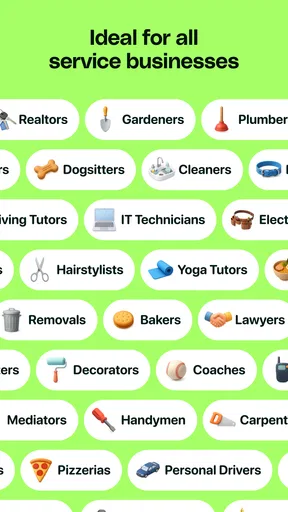
 Analysis by AppCompare
I find the best way to judge an AI receptionist is not by how impressive its pitch sounds, but by whether it fits the moments when a real person cannot pick up. A call might arrive while you are serving a customer, driving between jobs, or trying to finish work that needs your full attention. Clara - AI Receptionist is aimed at that small-business problem: keeping calls from taking over the day. My main advice is to treat it as part of a repeatable routine, not as a switch that makes every communication decision for you.
Make the call-handling routine clear
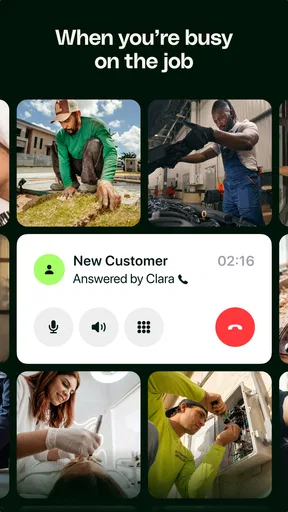
Before relying on any receptionist app, I would decide which calls you most want help with. For a solo tradesperson, that may mean staying available to new customers while working on site. For a consultant, it could be preventing a brief call from interrupting a paid meeting. Those are different needs, so I would start by thinking through the greeting and the kind of information you want captured, then check that the app’s available choices suit the way your business actually works.
That small preparation matters because callers do not all have the same purpose. Some want to book, some need a quick answer, and others may be existing clients with an urgent issue. A receptionist flow is most useful when it supports a sensible next step rather than simply making every call feel answered. I would test the experience from a caller’s point of view before making it the default for a busy workday.
Check the practical details before you depend on it
Clara is a business app from 44pixels, and it is free to install, with in-app purchases listed from $19.99 to $99.99 per item. I would separate the initial decision to try it from the decision to build it into a business routine: check what is included at no cost, then make sure any paid option matches a need you genuinely have. The app is rated for Everyone, has a 4.6 average from around 1,500 ratings, and has over 10,000 installs. Those figures suggest it has found an audience, but they do not tell me whether its call flow will fit a particular business.
It was released on March 11, 2026, and version 1.10.12 supports Android 7.0 and later. If you use an older phone, checking the operating-system requirement first can save a pointless install attempt. I would also make a short checklist before setup: what should callers hear, what details are useful to receive, and when should a call still reach you directly? Keeping those answers consistent makes the app easier to evaluate than changing several preferences at once.
Build a repeatable habit, not a complicated system
A useful routine could be as simple as reviewing missed-call messages at two natural breaks in the day, rather than checking after every interruption. If you are a freelancer moving between client work and admin, you could use a quiet period to return calls, confirm appointments, and update your calendar together. The value is not just fewer interruptions; it is grouping small communication tasks so they do not fragment the work that pays the bills.
I would keep a brief note of the cases where the receptionist helps and where it creates extra follow-up. For example, if callers often need a detail that your greeting does not cover, that is a prompt to adjust your instructions or choose a different way to handle that type of call. This is a practical test, not a hidden feature: a few real workdays will show whether the arrangement saves effort or merely moves it to later.
Worth Reading Before You Choose

Flipboard Shows What News Apps Must Do Beyond the Feed

Switching to Android Auto Means Rethinking Your Driving Routine

Google Calendar Makes a Crowded Week Easier to Manage

Ludo King Makes the Most of the Minutes Between Plans

Baby Panda World Brings Quick Play to Modern Phones, but Its Game Library Feels Busy

ESPN’s Live Game View Makes Following Close Games Easier
Know when a human or simpler option is better
Compared with letting every call ring through, a virtual receptionist can help protect concentration and give a business a more deliberate first point of contact. Compared with a human receptionist, it may be a more approachable starting point for a one-person operation, but it cannot replace the judgement and flexible conversation of a person who knows the business. If your callers routinely need sensitive explanations, negotiation, or nuanced support, I would keep a human in the loop rather than assume an AI can resolve every case.
It may also be the wrong fit if your business depends on immediate live conversation or if you rarely receive calls in the first place. In that situation, voicemail, a simple callback routine, or a human answering service may be easier to manage. The right comparison is not “AI versus nothing”; it is whether Clara handles enough of your real call traffic to justify the setup and any paid choices you make.
One everyday scenario makes the trade-off clear: imagine a small salon owner with a client in the chair when a new customer calls to ask about availability. The owner cannot stop mid-appointment, but the call still deserves a professional response and a clear path toward booking. A receptionist app can help bridge that gap, provided the owner later checks the message and follows up promptly. It does not remove the need for that follow-up, and I would not promise callers an immediate answer unless the business can actually provide one.
First Impressions and Setup
Installing Clara - AI Receptionist was a breeze. I found it on both Android and iOS platforms, so no worries if you’re team iPhone or team Android. The app has a clean, intuitive interface that makes navigation a piece of cake. After a quick sign-up process, which involves entering some basic info, I was up and running in no time.
The onboarding process is smooth, guiding you through the app’s features with a series of helpful tips. It’s designed to get you acquainted with the app without any hassle. And trust me, you’ll appreciate this when you’re trying to make sense of all the features it packs.
Features That Stand Out
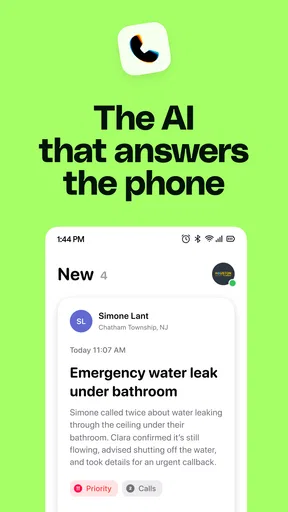
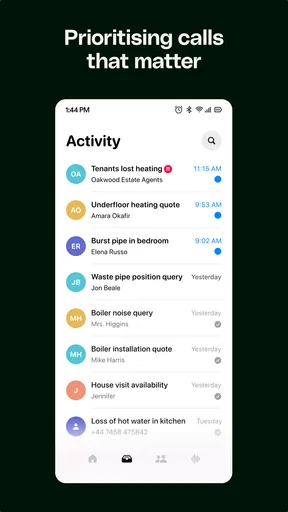
Now, let’s dive into what makes this app a standout. The AI-driven functionality is the star of the show here. Clara uses advanced AI to manage calls and messages, learning over time to better meet your needs. The level of customization is impressive; you can set preferences for how calls are answered and how messages are prioritized.
One of my favorite features is the Smart Scheduling. It integrates seamlessly with your existing calendars and even suggests optimal meeting times based on your availability. No more back-and-forth emails trying to nail down a time that works for everyone.
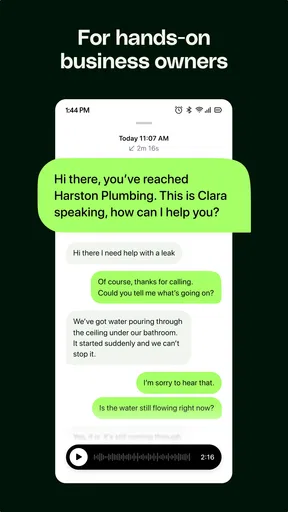
Another neat feature is the Virtual Receptionist mode. This is perfect for small businesses or freelancers who need to maintain a professional front. Clara can answer calls with a personalized greeting, ensuring you never miss an important client call.
User Experience and Performance
Using Clara is a delight. The app is responsive and doesn’t lag, which is crucial when you’re relying on it to manage your day. The voice recognition is surprisingly accurate, even for someone like me who tends to mumble a bit. It picks up on nuances and adjusts accordingly, which is a testament to its advanced AI capabilities.
The app’s design is minimalist, which I appreciate. It keeps things simple and doesn’t overwhelm you with too many options at once. All the essential functions are within easy reach, and the settings are straightforward to customize.
Room for Improvement?
No app is perfect, and Clara has a couple of areas where it could improve. The voice customization options are somewhat limited. It would be great to have more voice styles or accents to choose from, especially for users who want their virtual receptionist to match their brand identity.
Also, while the integration with calendars is excellent, I did notice that syncing can occasionally be slow. It’s not a deal-breaker, but it’s something to keep in mind if you’re often making last-minute changes to your schedule.
Final Thoughts
Overall, Clara - AI Receptionist is a powerhouse of an app. It’s a fantastic tool for anyone who needs help managing their communications and schedule. Whether you’re a busy professional, a freelancer, or running a small business, Clara can help streamline your tasks and keep you organized.
With its user-friendly interface and robust features, Clara is definitely worth checking out. It’s like having a personal assistant without the hefty price tag. So, if you’re tired of juggling calls and appointments, give Clara a try. Your future self will thank you.
My verdict after weighing the trade-offs
I would recommend Clara most readily to a small business owner or independent professional whose phone interrupts work but still brings in useful enquiries. It makes sense when calls need a consistent first response and when you can review what happened afterward. It is less compelling for someone who already has a reliable human answering routine, or whose customers expect every question to be resolved in a live conversation.
For me, the key to getting value is keeping the workflow modest. Set up a greeting that sounds like your business, decide what kinds of calls should be handled this way, and make a dependable habit of checking the resulting messages and calendar changes. I would not try to make the app cover every edge case on day one. Start with the most common interruption, see whether the handoff feels clear to callers, and only then adjust your routine.
That approach also makes it easier to judge the paid options. Since Clara is free to install but includes optional purchases, I would first establish whether its basic role solves a recurring problem. If the app saves you from missing worthwhile calls or gives you uninterrupted blocks for client work, paying for an option may be easier to justify. If you still have to manage every call manually, or calls are only occasional, a simpler callback process may be the more sensible choice.
My overall impression is positive, with one important qualification: an AI receptionist is a communication assistant, not a substitute for knowing your customers or following through. Clara’s appeal is the possibility of making call handling feel more orderly while you concentrate on the work in front of you. I would try it if calls regularly break your focus, but I would keep expectations practical and make sure the caller experience reflects the service you can actually deliver.
Pros
- Efficiently manages multiple tasks simultaneously.
- Integrates seamlessly with existing systems.
- User-friendly interface for easy navigation.
- Quick setup with minimal technical skills needed.
- 24/7 availability enhances customer service.
Cons
- Limited customization options for branding.
- Requires stable internet for optimal performance.
- Some features locked behind premium plans.
- Occasional delays in response during peak use.
- May not support all regional languages.
FAQs for Clara - AI Receptionist
What is Clara - AI Receptionist and how does it work?
Clara - AI Receptionist is a virtual assistant application designed to streamline reception tasks using artificial intelligence. It handles appointment scheduling, visitor management, and basic inquiries. The app integrates with your existing calendar systems, ensuring seamless coordination and reducing the workload on human receptionists.
Is Clara - AI Receptionist compatible with both Android and iOS devices?
Yes, Clara - AI Receptionist is available for both Android and iOS platforms. Users can download the app from the Google Play Store or Apple App Store, ensuring broad accessibility across multiple devices and providing a consistent user experience for both operating systems.
How does Clara - AI Receptionist handle data privacy and security?
Clara - AI Receptionist prioritizes data privacy and security by implementing end-to-end encryption and adhering to international data protection standards. The app ensures that all personal and sensitive information is securely stored and only accessible by authorized personnel, maintaining user confidentiality at all times.
Can Clara - AI Receptionist be customized to fit specific business needs?
Yes, Clara - AI Receptionist offers customizable features to cater to various business requirements. Users can adjust settings to align with company policies, branding, and specific operational processes. This flexibility ensures that the app can be tailored to enhance efficiency and meet the unique demands of any organization.
What kind of support and updates does Clara - AI Receptionist provide?
Clara - AI Receptionist offers comprehensive customer support, including 24/7 assistance through email and chat. Regular updates are released to introduce new features and improvements, ensuring the app remains efficient and up-to-date with the latest technological advancements and user needs.


